Kalzit is in early development. These pages describe what exists today and change as the milestones progress. Screenshots show the development version with demo data.
Live updates
With Live on, the server pushes new query results to the browser over a WebSocket instead of the browser asking again and again. Each result keeps its shape: a table stays a table, documents stay documents, a graph stays a graph. The guide covers it under dashboards and Explore in the repository.
How a query stays current
- Live: the source reports changes and the query runs again as soon as its data changes. This is MongoDB with change streams (a replica set or a sharded cluster) and a fixed time range.
- Live, every 30s: the query runs again at an interval. This is every other source (SQL, metrics, search, graph and file sources), a standalone MongoDB server or a view, and every time range that ends now. The interval is the refresh interval you chose before, at least 5 seconds, else 30 seconds.
The tooltip says why a MongoDB query polls instead, for example when the source already watches as many queries as it allows, or when results would take more memory than the server allows.
On a dashboard
Refresh > Live turns it on. The button beside Refresh then reads Live, and the automatic refresh rests while live is on.
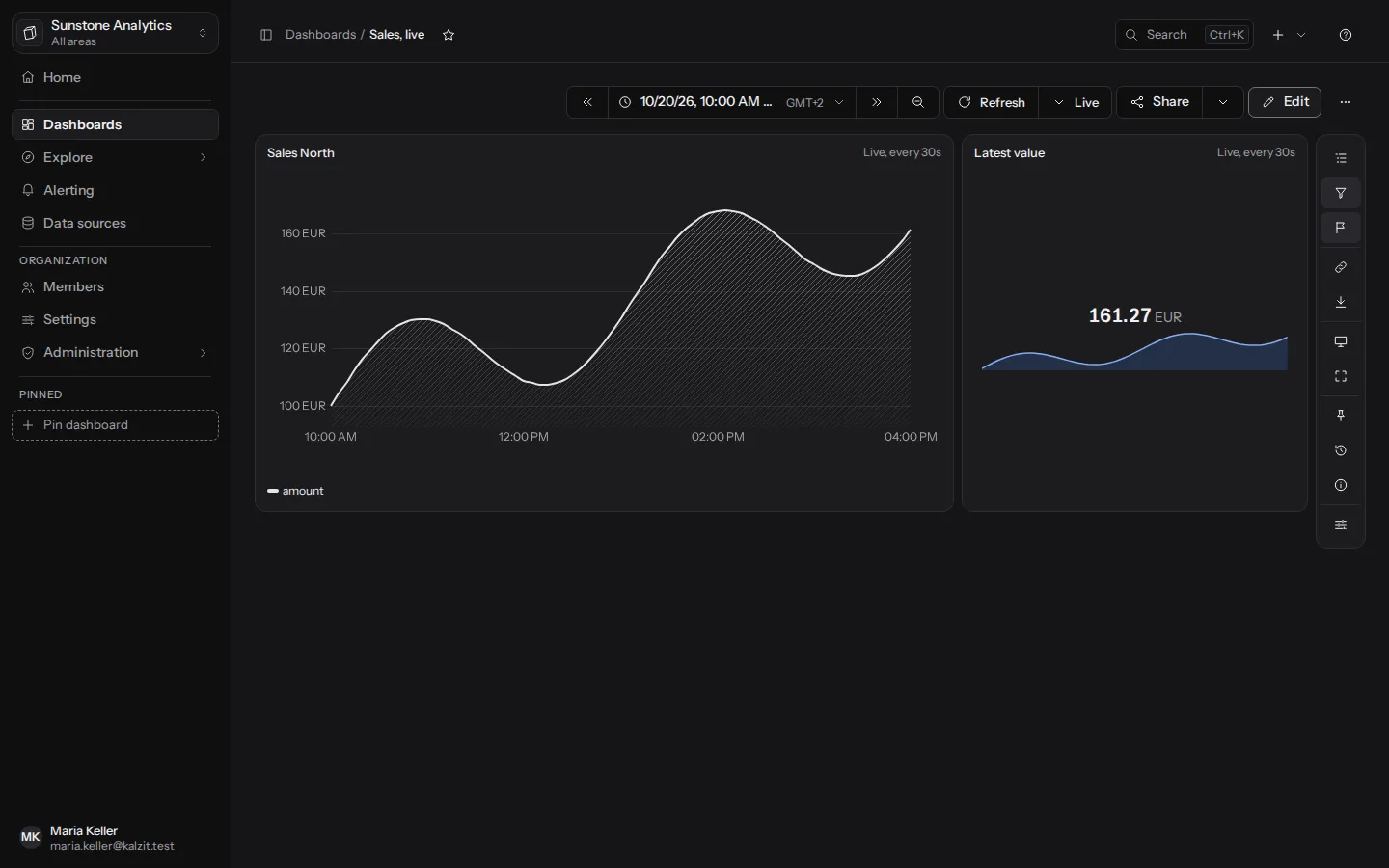
- A small text in each panel’s title bar says how it stays current, with the details in its tooltip. Only panels on screen follow live results; a panel scrolled out of view stops after a moment and starts again when you scroll back.
- Pause live updates in the same menu holds the panels on their last results, each saying Live paused; Resume live updates goes on. Live also pauses while the browser tab stays in the background.
- Live stopped means the server ended the panel’s live updates, for example because you lost access to the data; the tooltip says why. Turn live off and on to try again.
- When the server restarts or the connection drops, Kalzit reconnects by itself. When your session ends, live stops until you sign in again.
Live is a choice of this view of the dashboard and is not saved with it.
In Explore
Live beside Run query keeps the query you ran current. A line above the result says how it stays current and, if the server refused or ended it, why. Press Live again to stop. Live in Explore needs the right to query the data source, as running the query does; the server checks it. Pages loaded with Load more documents are dropped when a new result arrives.
Field distribution over the whole result
For MongoDB the Field distribution is counted in the database over the whole result, not only the loaded page: values, missing and null fields, types, the most common values, minimum and maximum and the histogram cover all documents, and the panel says so: Across all N documents of the result. It stays current with live updates like every other panel.
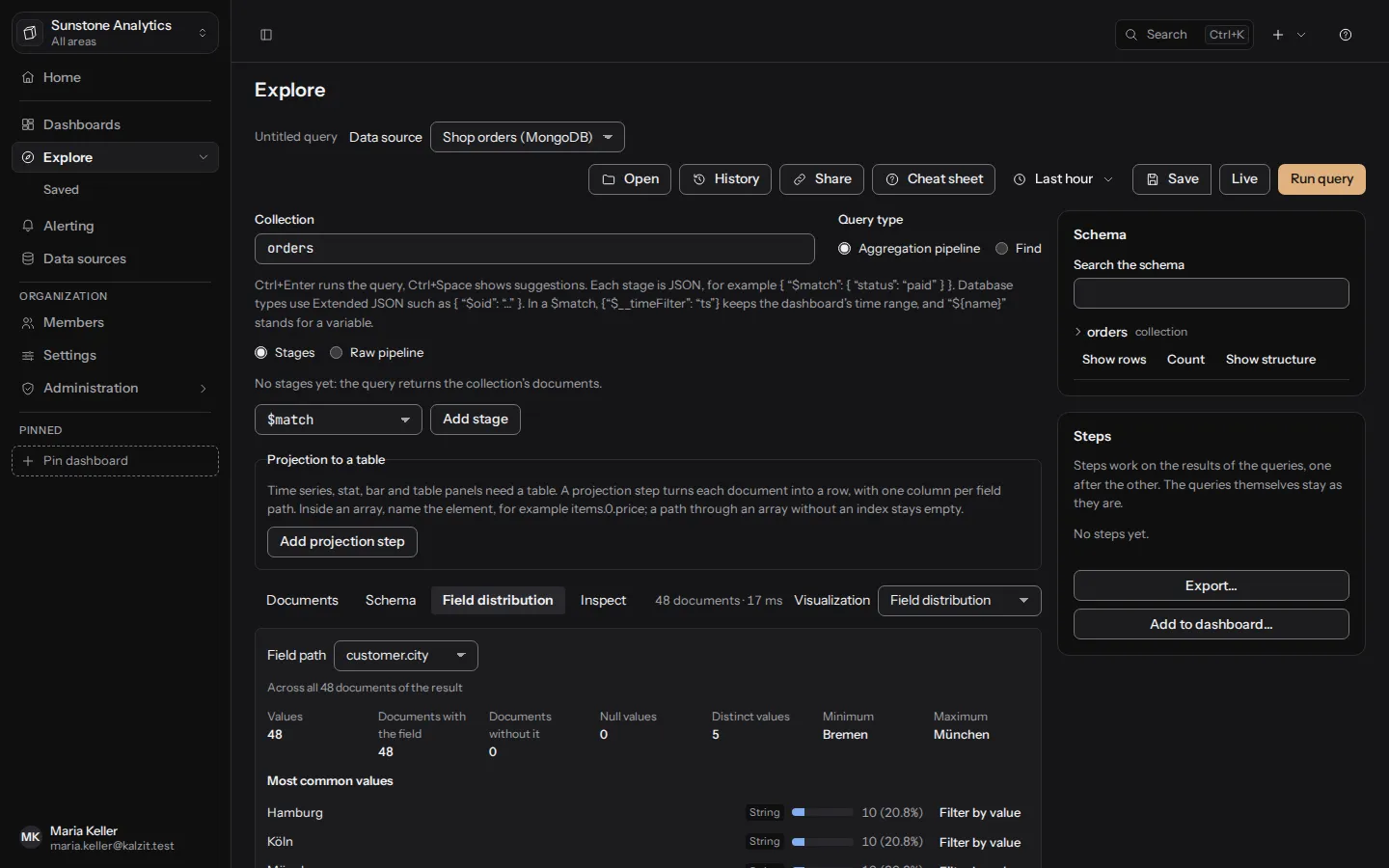
A saved analysis opened to view and run, and a dashboard panel linked to one, count over the whole result too, for everyone who may run the analysis. See Saved analyses.